
Floating Grains

Created with:
Buy for
$
 12.00 
Payment provided:
Overview
An abstract setup of colorful floating grains designed for clean, modern motion design backgrounds, loops, and transitions. Rendered with Karma.
Scene Includes:
Features:
  • Solaris/Karma setup
  • Clean and logical node structure based on own Strata Workflow
  • ACES color workflow
  • POP grains sim
  • Customizable particles setup
  • COP’s textures
  • COP’s template for .exr post-production
Product Notes
  • Created in Houdini Indie 20.5
  • Sim and file cache are not included.
  • Final animation done using DaVinci Resolve.
  • 4k video is upscaled using Topaz AI

Important
Solaris setup
Provided scene use’s Solaris first setup. In order to see the scene you need to switch to Stage Context.
Important
Solaris setup
Scene don't include render setup and rendered images. Purpose of the scene is to show the specific feature
Software Compatibility: This release is optimized for Houdini 20.5 and above. Make sure your setup meets the required specifications otherwise we can’t guaranty it will work correctly on lower versions.
Gallery

No items found.
Video
Floating Grains

Created with:
Buy for
$
 12.00 
Payment provider:
Scene Structure
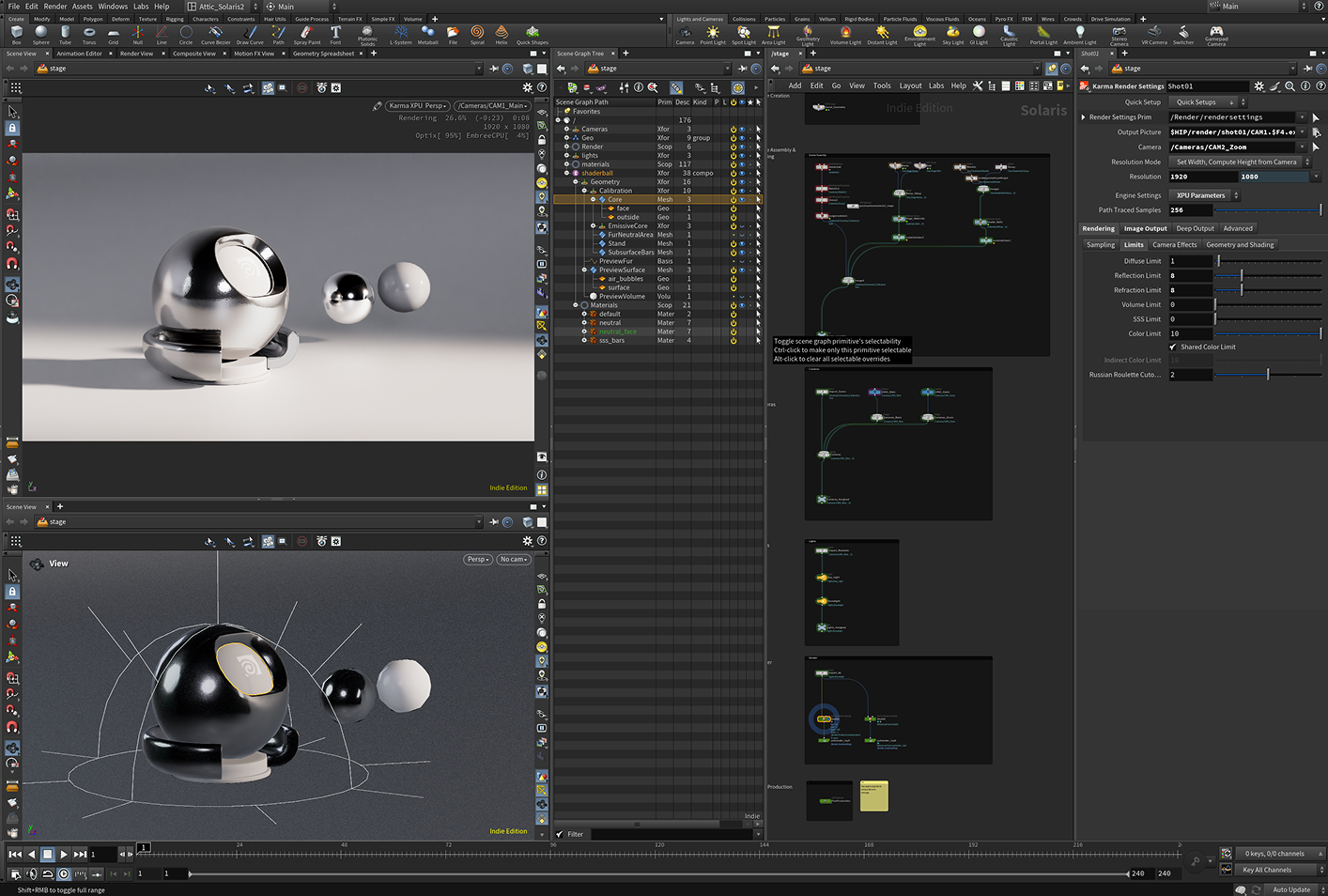
Each Attic scene is built with a clean and modular hierarchy, designed to give you full creative control while keeping the workflow intuitive. Every element is clearly named and logically grouped, so you can focus on visual direction - not troubleshooting.We use our own Strata Workflow which help us to keep all main stages of project in a separate sections.
LIGHTS
All lighting setups are contained within the lights context, crafted to match the cinematic mood of the scene. You can easily tweak intensity, color, or direction to fit your look.
GEO
Scene is generated inside LOP context with SOP Create node. This is the key part of Solaris workflow
CAMERAS
All cameras have optimized exposure and depth of field settings for a ready-to-render composition. Every scene has a full shot composition and multiple close-ups.
solaris scene structure
FAQ
  • 1. How can I purchase the product?
    You can buy the product directly on its page by clicking Buy and completing a secure checkout processed by Lemon Squeezy.
  • 2. How do I receive my files after the purchase?
    Right after payment you’ll see a download link on the confirmation page and receive another one via email.
  • 3. What level of software knowledge do I need to use these products?
    You should be comfortable with the software at an intermediate level — working with project files, modifying parameters, and adjusting scenes without step-by-step guidance.
  • 4. Can I use the projects in my commercial work?
    Yes, you can use them in personal and commercial projects, but you can’t resell or redistribute the original files as your own products.